
How to check the status of gift card templates and service packages
In this article, we show you how to review the status of gift card templates and service packages in Zoyya. You'll learn where to see all templates, how to check if they're ready to sell online, and how to open them for editing.
Use this overview when you need to check why an offer is not available for sale or online display and which template settings still need to be completed.
Procedure
Below are the steps:
In this section, you can view all gift card templates and service packages you have created, edit their content and manage online sales.
- Enter "Settings", then select "Gift card templates".
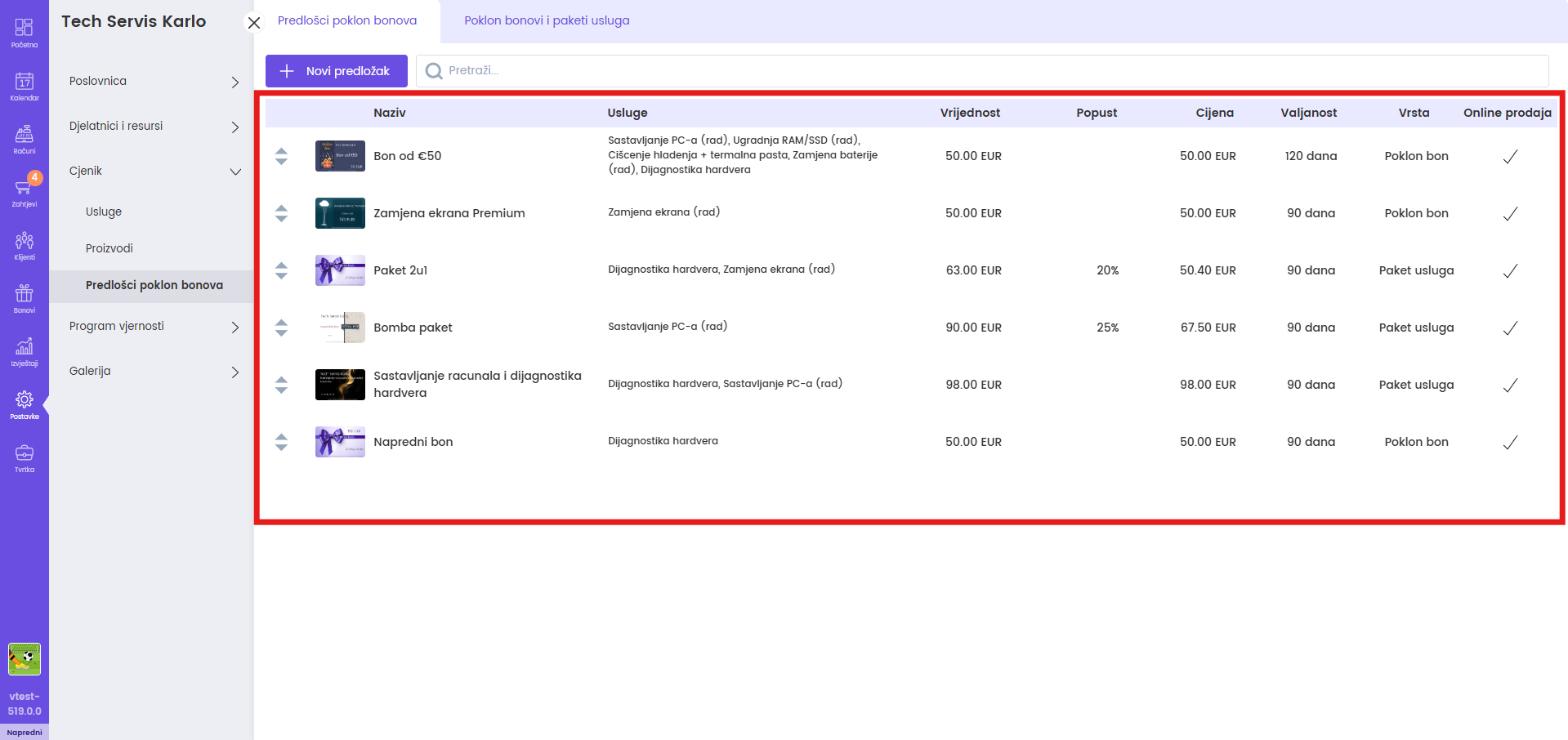
- The "Gift card templates" tab shows a list of all the templates you have created.
- For each template you see:
- template name
- services included
- value of voucher or package
- discount (if set)
- price for the client
- expiry date
- type (gift card or service package)
- tag for on or off online sales
- Click on the template to open the details.
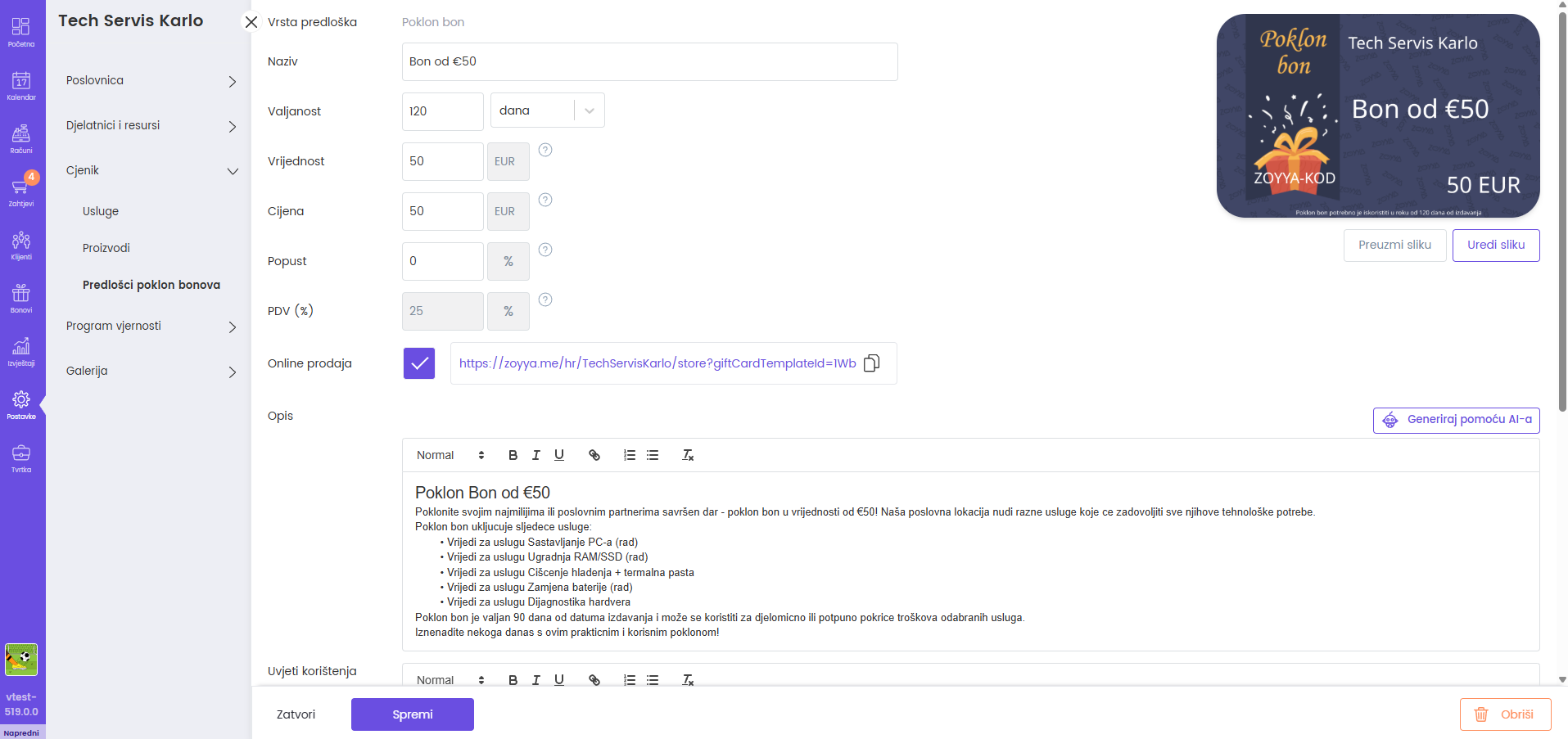
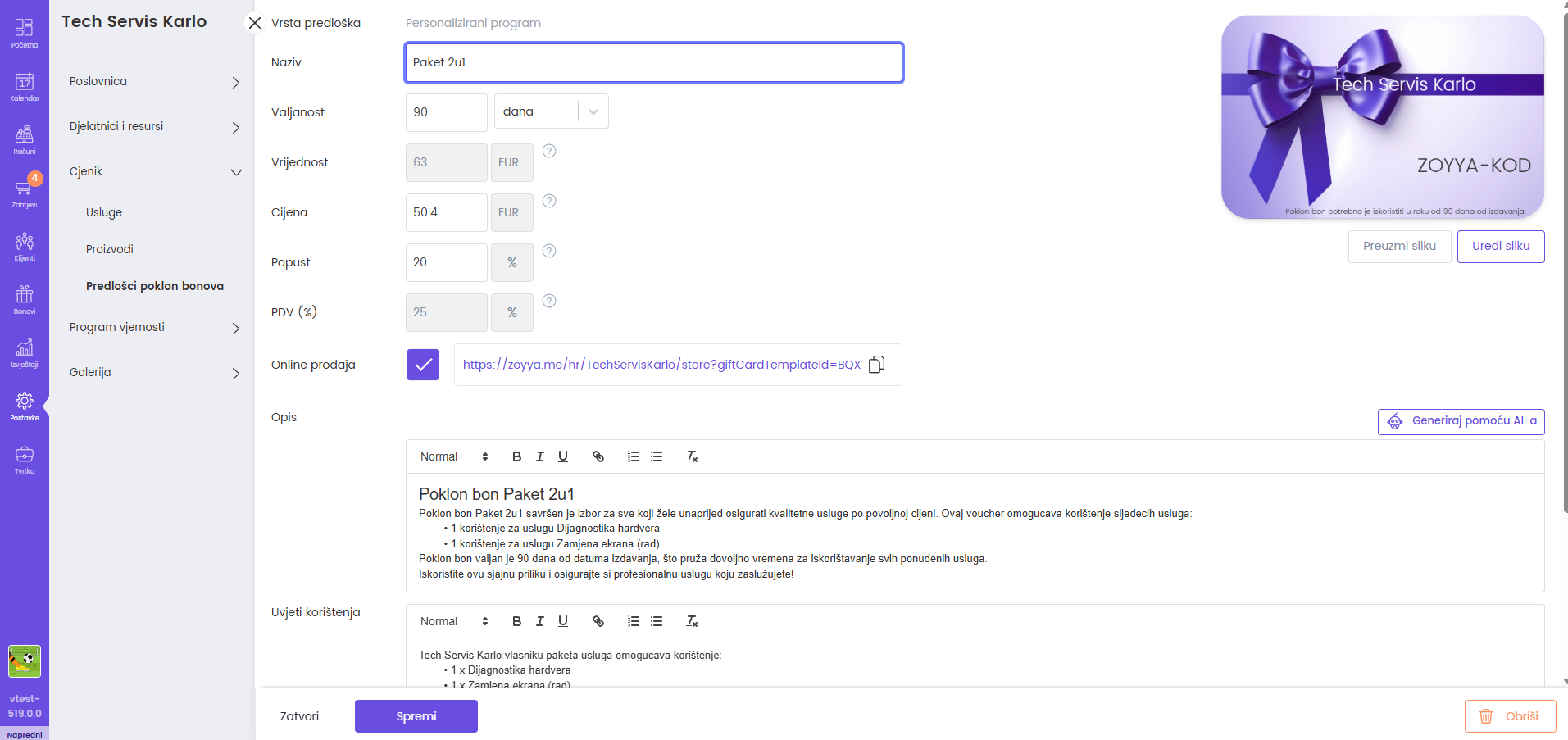
- In the details window you can:
- edit basic data (name, value, price, discount, validity)
- turn online sales on or off (and copy the gift card link)
- change the description of the voucher or package
- add or modify the terms of use
- add or remove approved services that can be used with that voucher or package
|
|
|---|
- At the service package template in the Approved services section you see:
- list of all services included in the package
- quantity of each service in the package
- price, value, discount, net amount and total amount per service

- With the gift card template in the Approved services section, you see:
- list of services that can be paid with this voucher
- basic information about the value of the voucher and conditions of use — the voucher is spent from the total value, without quantities per service

Connected
Updated on: 23/07/2026
Thank you!