
How to download and install the app on Android
In this article, you will learn how to install the affiliate Zoyya web app on your Android device. After installation, you can run Zoyya directly from the home screen, without opening an Internet browser.
When to use this option?
Use this option when:
- you are setting up Zoyya for the first time on an Android device
- you want to use Zoyya without an internet browser
- you want faster access to the application
Work steps
You can install the partner Zoyya web application in two ways:
- through the Zoyya menu
- through an internet browser
1. Installation through the Zoyya menu
- Log in to Zoyya.
- Open the Main menu.
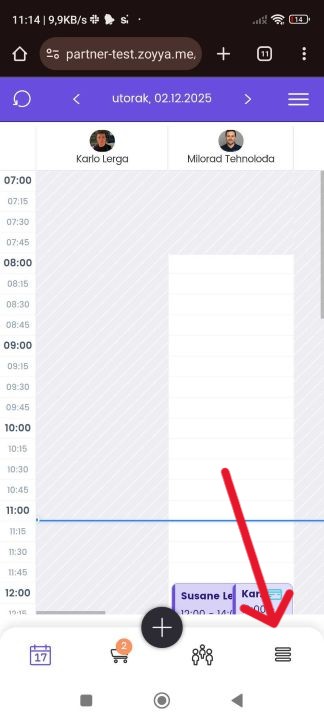
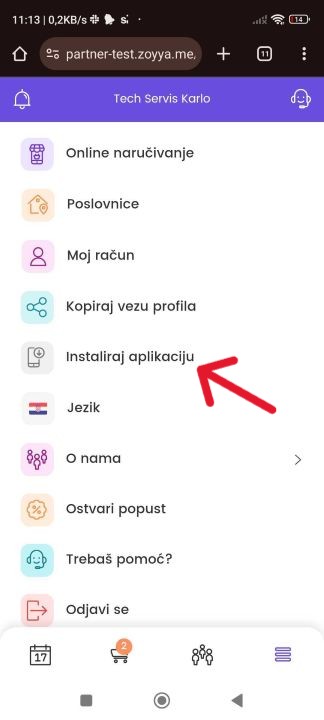
- Under Account and support, select Install app.
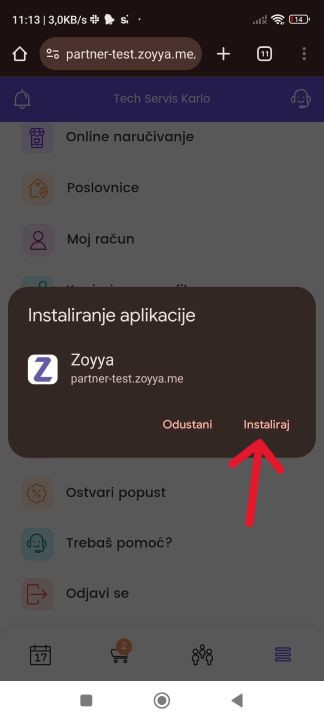
- When the browser message appears, confirm the installation.
2. Installation through the browser
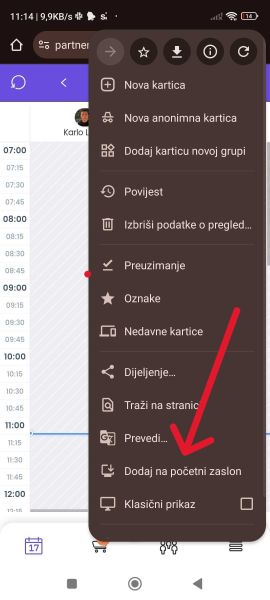
- While logged into Zoyya, tap browser menu icon.
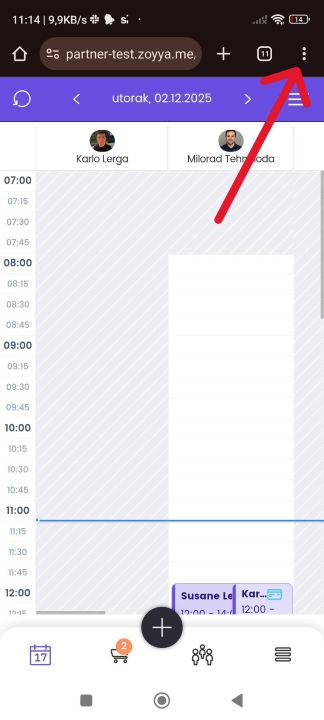
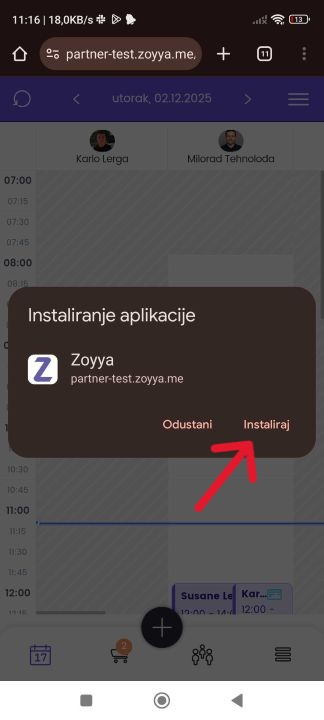
- Select Add to Home Screen, then select Install.
|
|
|---|
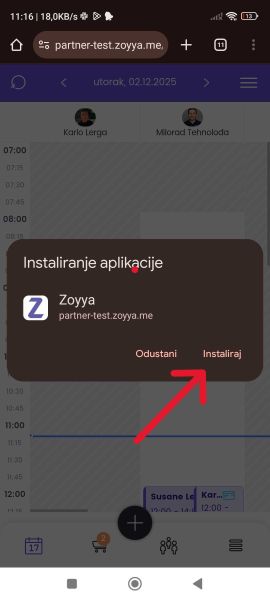
- Confirm adding the application.
- Open Zoyya via the new icon on the home screen.
Frequently asked questions
Will I lose my data after installation?
No. The installation does not change your data or settings. You are logging into the same user account.
In what ways can I install the application?
You can install the application through the Zoyya menu or through the Internet browser menu.
Do I have to use the installed app?
No. You can continue to use Zoyya through an Internet browser.
Connected
Updated on: 22/08/2026
Thank you!