
What to do so that messages end up in Primary instead of Promotions
In this article, we show you how to set up Gmail so that messages from Zoyya end up in the Primary tab instead of Promotions. You'll learn how to move a message and confirm a rule so you don't miss future notifications.
Work steps
Below are the steps:
Receiving mails in the Primary tab of Gmail can sometimes be crucial for you to notice a message. We will show you how to keep your important messages from getting lost in the pile of emails on the Promotions tab and how they always end up on the Primary tab.
The easiest way to stop receiving important messages in the Promotions tab is to drag and drop that email to the Primary tab.
- Open Gmail and find the email in the Promotions tab:
- Drag and drop email from Promotion to Primary.
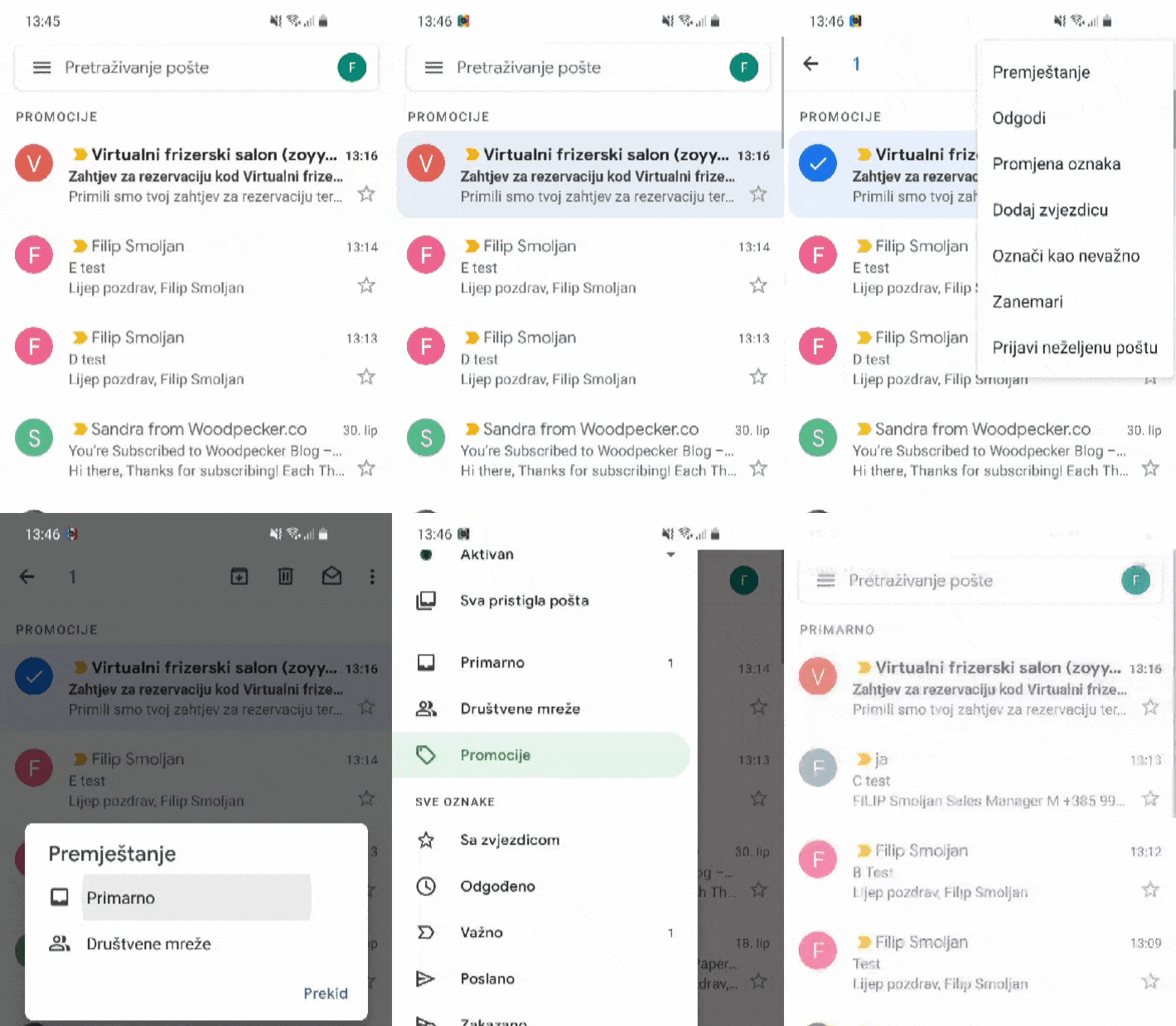
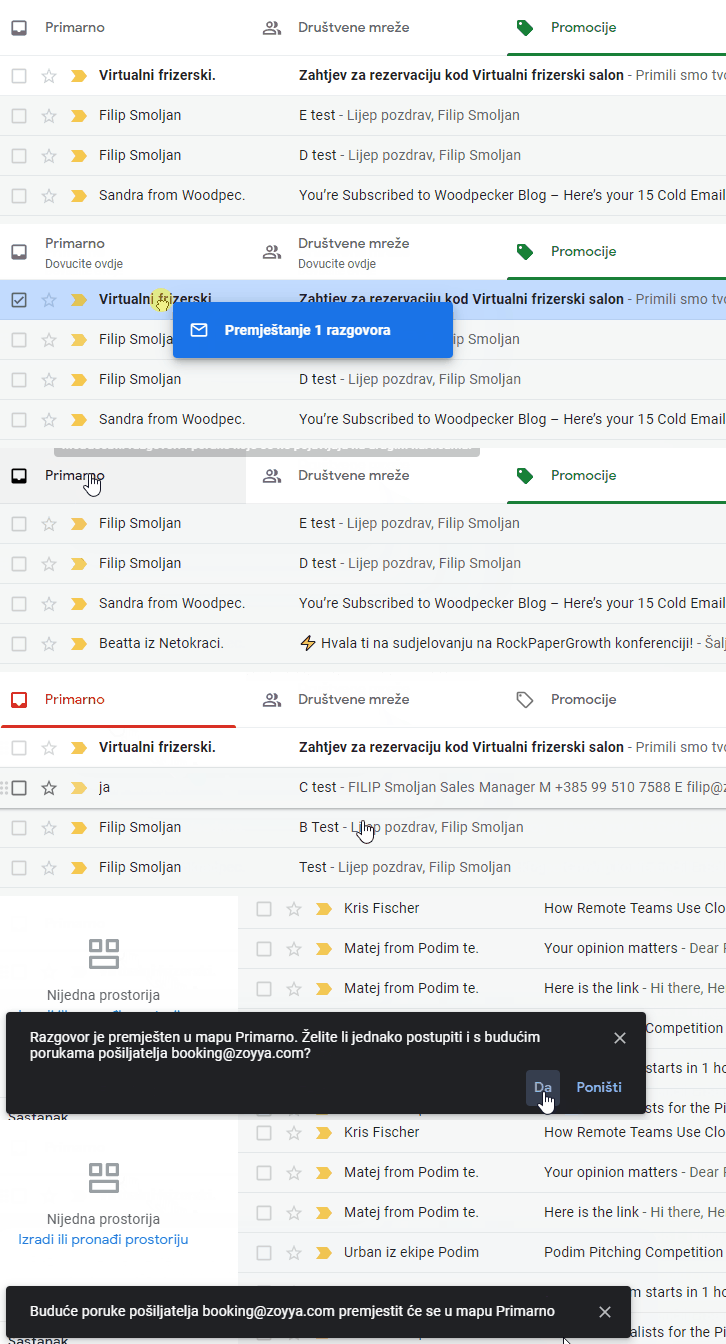
- This should ensure that all future mail coming from Zoyya will now end up in the Primary tab instead of the Promotions tab.
- Be sure to open Zoyya's emails when they arrive in your Primary tab. This helps Google understand that you value these messages and that they deserve to be on the Primary: tab.
Connected
Updated on: 23/07/2026
Thank you!