
How to write a description with Zoyya
In this article, you will learn how to quickly create a description of your location's services with the help of Zoyya using the ability to generate descriptions through AI.
A well-written description helps clients get to know your services better and choose your location more easily. The description of the location's services can also be used on other Zoyya-related services, including various search engines and business display services. You'll learn where the Generate with AI option is and how to customize the suggested text for your business.
Work steps
Below are the steps:
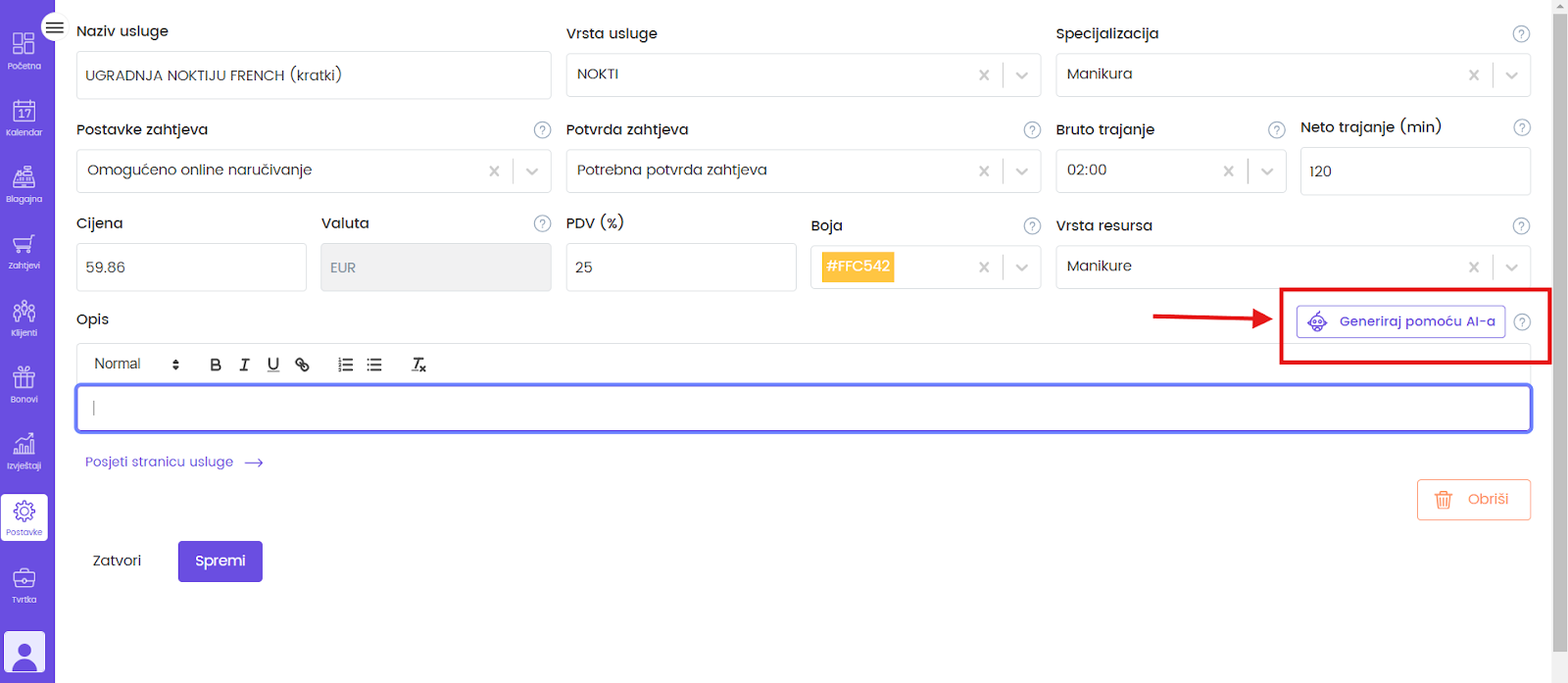
- At the end of the field for entering the description of each service, there is a Generate with AI button.
- Click on it and it will immediately suggest a suitable text.
- View the proposal generated by Zoyya with the Generate with AI option.
- If necessary, adjust the text and click Save.
Frequently asked questions
Do I have to use the generated description?
No. You can edit, supplement or completely replace the generated description with your own text.
Will the description be visible to clients?
Yes. The description of the services or location is displayed on your Zoyya profile and can also be used on other services connected to Zoyya.
Connected
Updated on: 23/07/2026
Thank you!